
Digital ACT Practice Platform for Test Prep Providers
Trusted by 1000+ institutes
Join the ranks of reputable tutoring companies like City Smarts, Testprep Chicago, Hamilton Education , Rewiser who trust Testpress for their online diagnostics and homework.


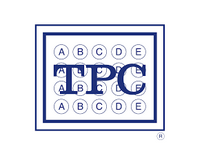

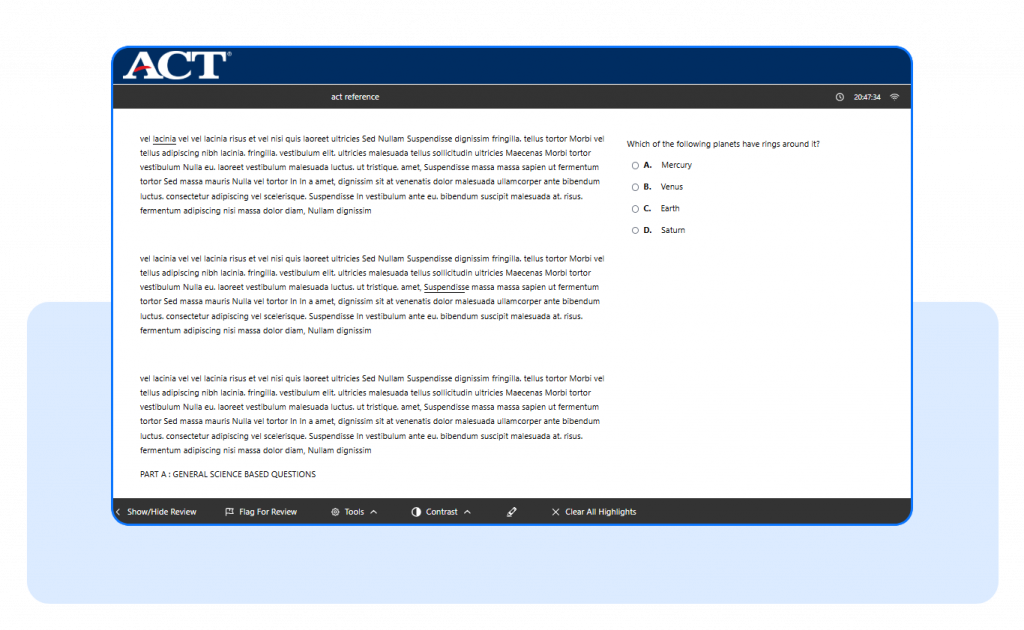
Real ACT Exam Interface
Familiarize students with the ACT-style digital interface including navigation, timed sections, question palette, and review tools helping reduce exam anxiety and improve confidence.
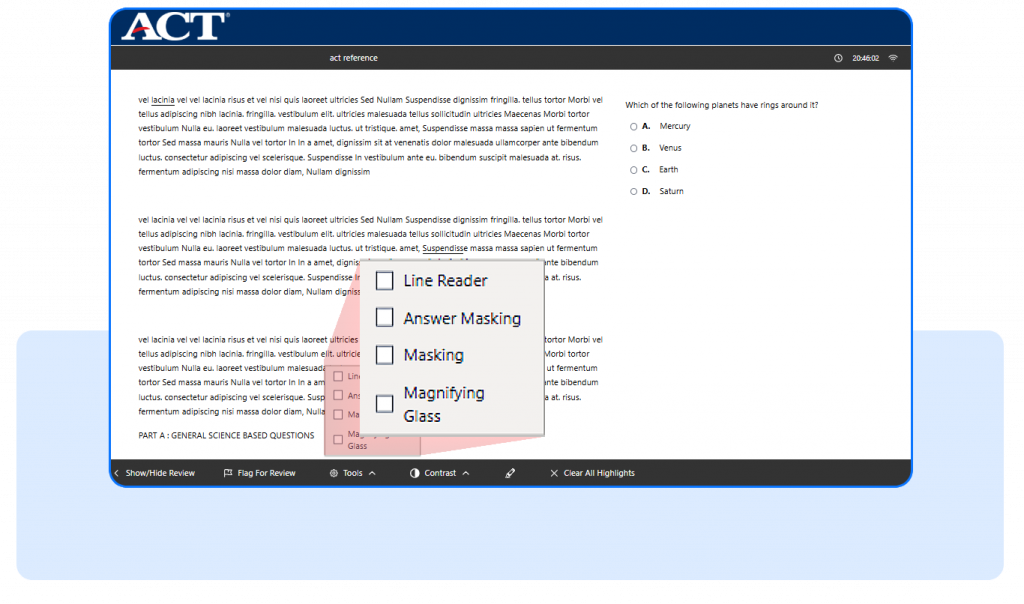
Advanced Exam Tools
Give students a real ACT testing experience with built-in tools like Highlight, Contrast Modes, Line Reader, Answer Masking, Passage Masking, and more designed to improve focus, and exam performance.
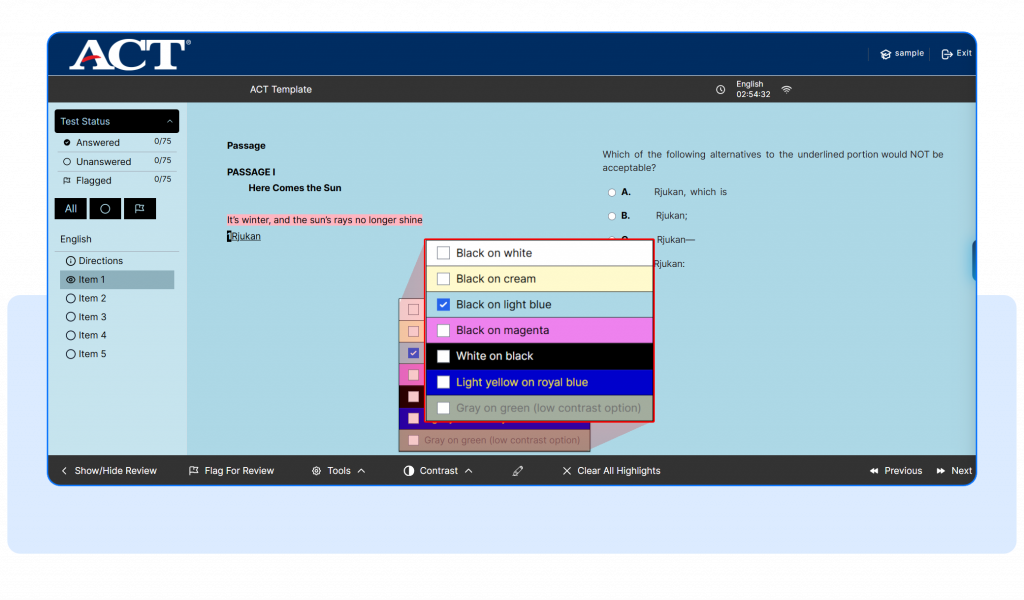
Contrast & Accessibility Modes
Students can switch between multiple contrast themes like dark mode and high-contrast viewing options for a more comfortable and accessible exam experience.
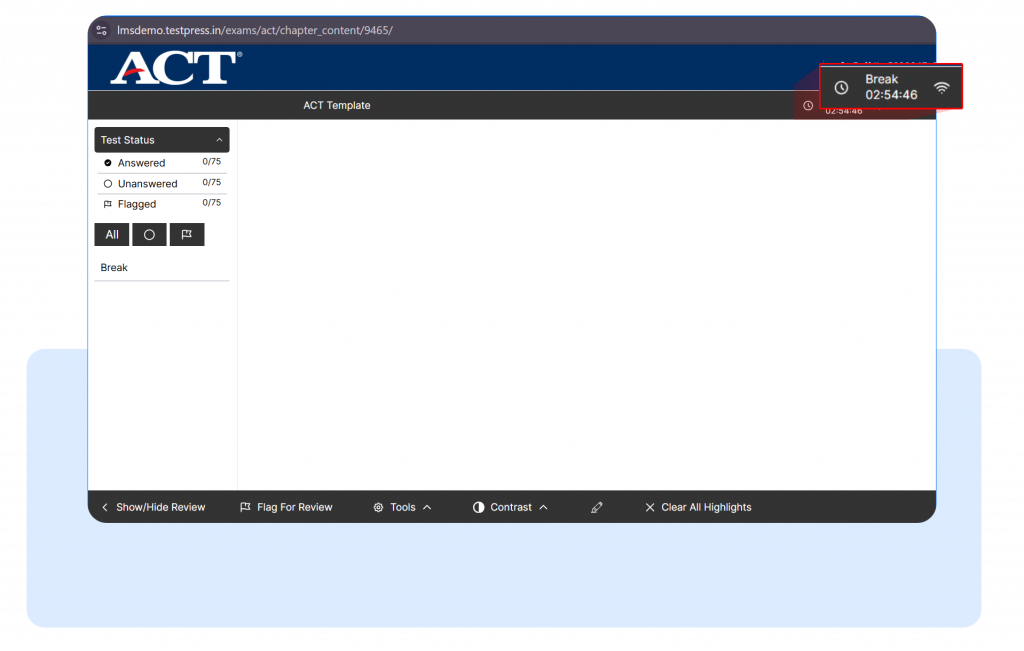
Create Break Sections
Easily add scheduled breaks between exam sections to simulate the real ACT test flow and help students manage long-duration exams effectively.
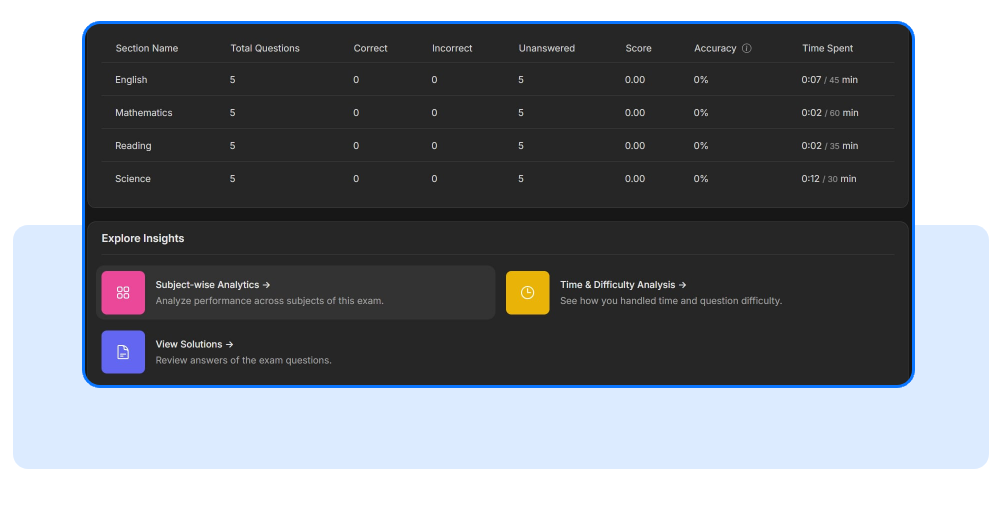
Detailed Performance Analytics
Track student accuracy, time spent, strengths, weaknesses, and section-wise performance using real-time reports and analytics dashboards.
Watch how analytics help improve ACT exam mindset and performance
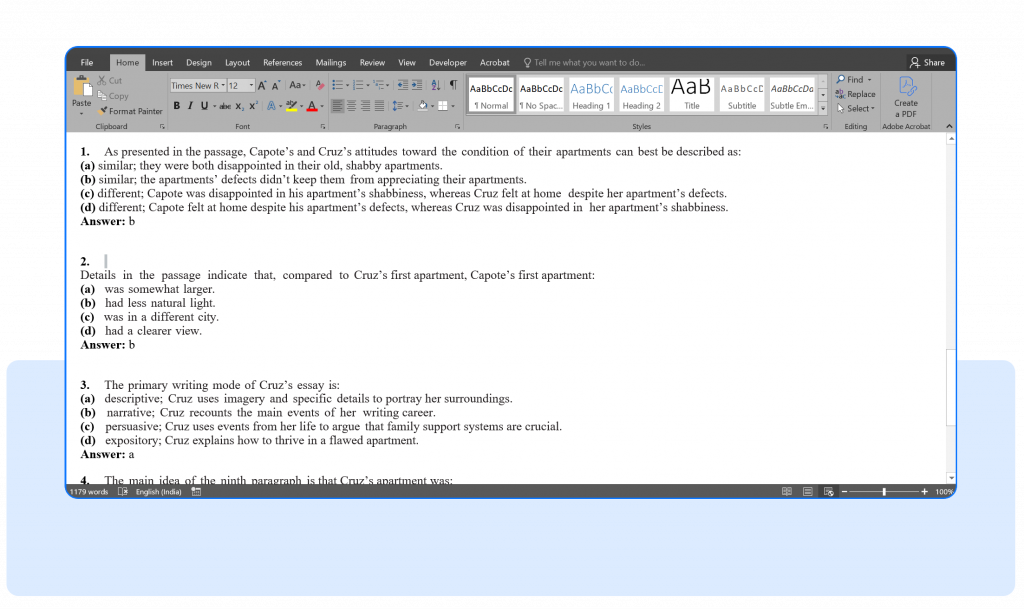
Bulk Question Upload
Upload large sets of ACT questions instantly using Word documents including images, equations, graphs, and passage-based questions.
Testpress vs PDFs & Google Forms
| Feature | PDFs | Google Forms | Testpress ACT Software |
|---|---|---|---|
| Real ACT Exam Experience | ❌ | ❌ | ✅ |
| Section-wise Timers | ❌ | Yes | ✅ |
| Highlight & Reading Tools | ❌ | ❌ | ✅ |
| Passage-Based Questions | Difficult | Limited | ✅ |
| Detailed Analytics | ❌ | Basic | ✅ |
| Break Sections | ❌ | ❌ | ✅ |
How the Platform Works
Step 1 – Create ACT Mock Tests
Upload ACT questions, passages, images, and comprehension sets individually or in bulk using Word documents.
Step 2 – Configure Exam Experience
Set section-wise timers, break sections, navigation rules, and accessibility tools to match the official ACT pattern.
Step 3 – Students Take the Test
Students attempt the exam in a real ACT-style interface with tools like Highlight, Contrast Modes, and Passage Masking.
Step 4 – Analyze Student Performance
Track student accuracy, time spent, weak areas, rankings, and section-wise performance using detailed analytics dashboards.